

When buying a replacement laptop screen, one of the most important specifications to match is the refresh rate. This guide explains what refresh rate means, what the numbers mean in practice, and which one you need.
What Is Refresh Rate?
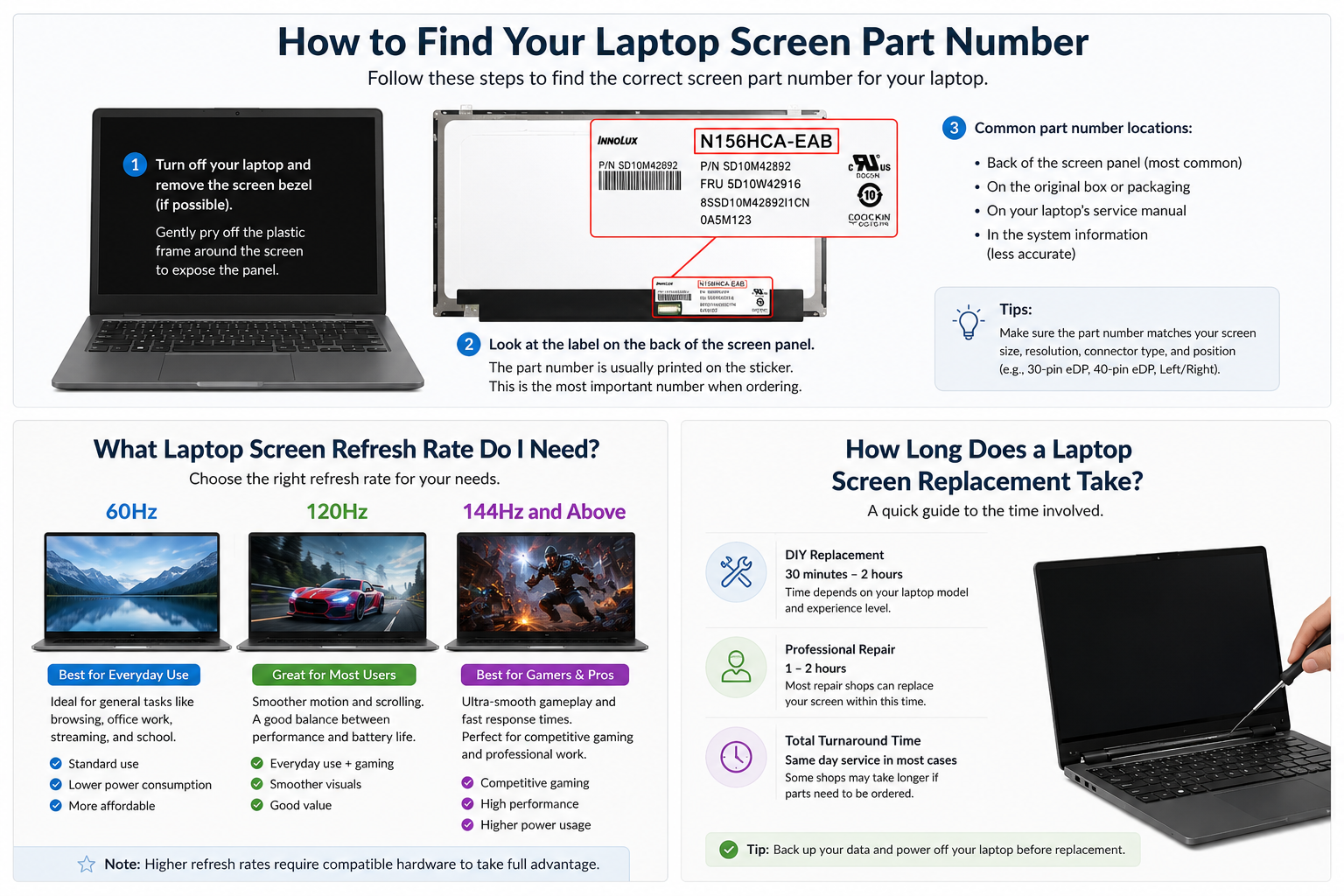
Refresh rate is the number of times per second your screen updates the image, measured in Hertz (Hz). A 60Hz screen updates 60 times per second. A 144Hz screen updates 144 times per second. The higher the refresh rate, the smoother motion appears on screen.
60Hz — Standard
Most laptops used for everyday tasks, work and general use come with a 60Hz display. For web browsing, documents, video calls and streaming, 60Hz is perfectly adequate and you will not notice any disadvantage.
144Hz — Gaming and Creative Work
144Hz screens are standard on gaming laptops and popular for fast-paced games where smooth motion gives a competitive advantage. Compatible with laptops such as the Asus ROG, Lenovo Legion, HP Omen, Acer Nitro and many others.
165Hz and 240Hz — High Performance Gaming
165Hz and 240Hz panels are found on premium gaming laptops such as the Asus ROG Zephyrus, MSI Raider, Dell Alienware and others. At these refresh rates the improvement over 144Hz is subtle for most users but can make a significant difference in competitive esports titles.
Can I Upgrade My Refresh Rate?
In many cases, yes — but your laptop GPU and display cable must support the higher refresh rate. Contact us at info@technologyvs.co.uk with your laptop model and we can advise on compatible upgrade options.
How to Check Your Current Refresh Rate
On Windows, go to Settings → Display → Advanced display settings and look for the refresh rate. This shows your current panel's refresh rate, which is the spec you need to match when ordering a replacement.
TechnologyVS stocks gaming laptop screens at 144Hz, 165Hz and 240Hz for all major brands, all with UK stock and next working day delivery. Search by part number or laptop model at technologyvs.co.uk.




Hinterlasse einen Kommentar
Diese Website ist durch hCaptcha geschützt und es gelten die allgemeinen Geschäftsbedingungen und Datenschutzbestimmungen von hCaptcha.