
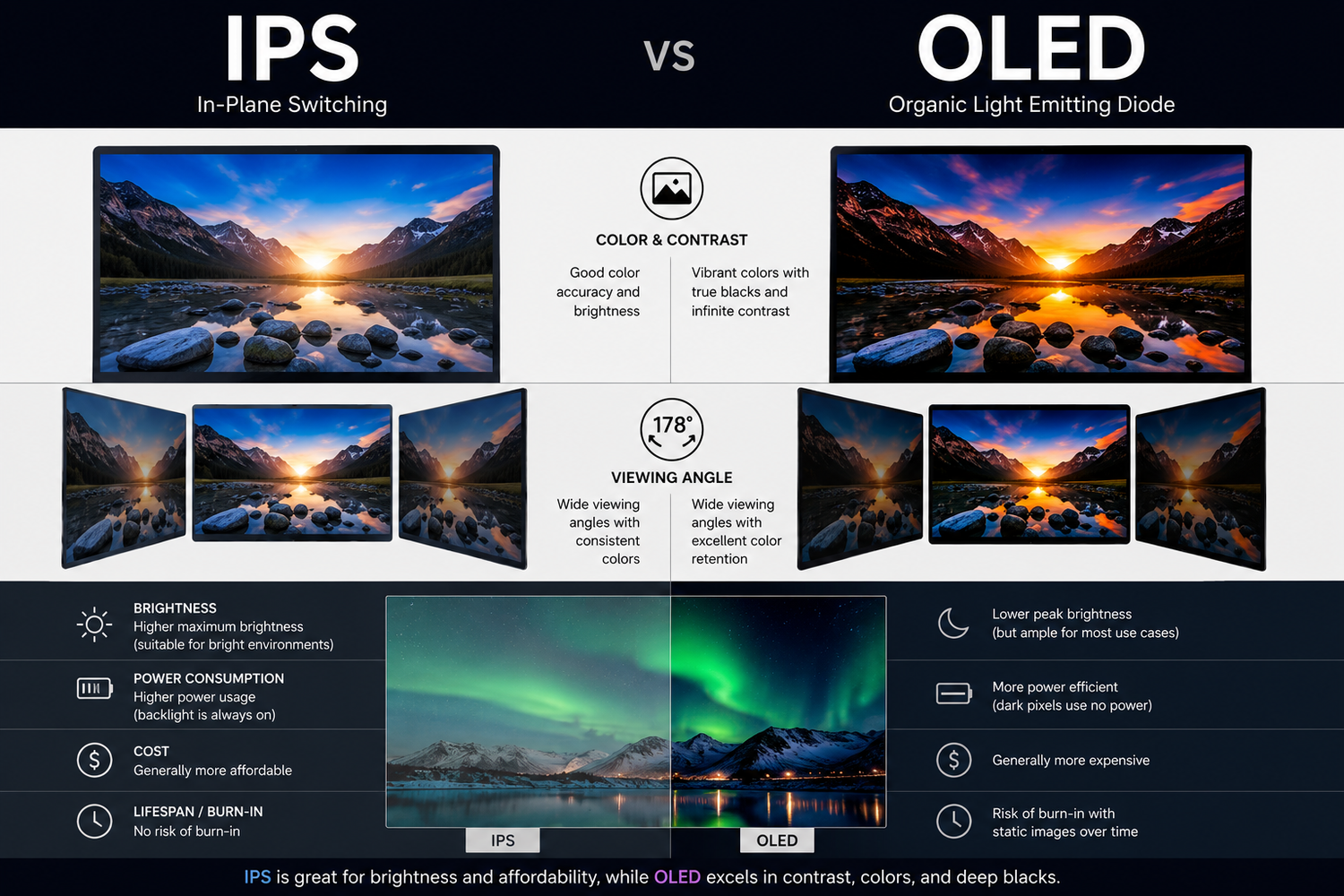
When replacing your laptop screen, you may have the option to upgrade from a standard IPS panel to an OLED display. But is it worth it? This guide explains the key differences between IPS and OLED laptop screens to help you make the right choice.
What Is an IPS Screen?
IPS (In-Plane Switching) is the most common type of laptop display. It offers wide viewing angles, accurate colours and good brightness — a significant improvement over older TN panels. Most laptops sold today come with IPS screens as standard.
What Is an OLED Screen?
OLED (Organic Light-Emitting Diode) is a premium display technology where each pixel produces its own light. This means true black (the pixel simply turns off), infinite contrast ratio and exceptionally vivid colours. OLED screens are found in high-end laptops such as the Dell XPS 15, HP Spectre x360, Asus ZenBook Pro and Samsung Galaxy Book Pro.
IPS vs OLED — Key Differences
| Feature | IPS | OLED |
|---|---|---|
| Black levels | Good | Perfect (true black) |
| Contrast ratio | 1000:1 typical | Infinite |
| Colour accuracy | Very good | Excellent |
| Brightness | 300-500 nits typical | 400-600 nits typical |
| Response time | 4-10ms | 0.1ms |
| Power consumption | Standard | Lower on dark content |
| Risk of burn-in | None | Small long-term risk |
| Price | Lower | Higher |
Which Should You Choose?
Choose IPS if you want a reliable, cost-effective replacement that matches your original screen specification. IPS panels are available for virtually every laptop model and offer excellent image quality for everyday use.
Choose OLED if your laptop model supports it and you want a significant visual upgrade — particularly if you work with photos, video, or creative content. The improvement in contrast and colour depth is immediately noticeable.
At TechnologyVS we stock both IPS and OLED replacement panels for all major laptop brands. Search by your laptop model or panel part number at technologyvs.co.uk to find the right screen, with UK stock and next working day delivery.





Dejar un comentario
Este sitio está protegido por hCaptcha y se aplican la Política de privacidad de hCaptcha y los Términos del servicio.