

How to Fix a Cracked Laptop Screen
A cracked laptop screen cannot be repaired — it must be replaced. The good news is the rest of your laptop is almost certainly completely fine.
Temporary Workarounds
- Connect an external monitor via HDMI while you arrange the replacement
- Avoid pressure on the cracked area as cracks can spread
Step 1 — Find the Part Number
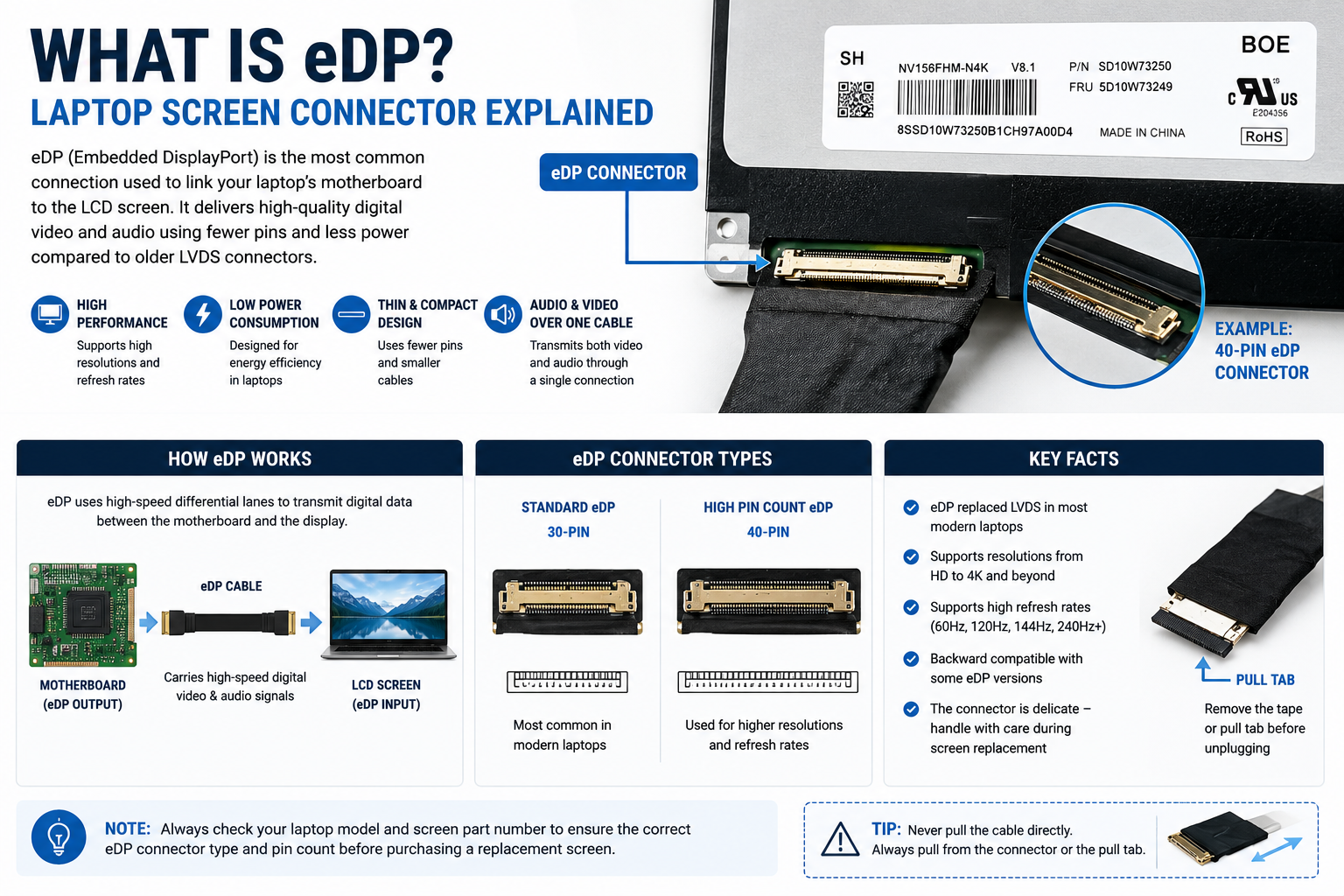
Even on a cracked screen, the part number sticker on the back is usually readable. Remove the bezel, tilt the panel forward and look for the white sticker.
Step 2 — Order the Correct Screen
Match: screen size, resolution, connector pin count, surface finish, refresh rate, touch or non-touch.
How Much Does it Cost?
- Budget laptops (FHD panels) — typically £20–£45
- Mid-range laptops (IPS FHD) — typically £35–£70
- Premium/gaming laptops (QHD, 144Hz+) — typically £60–£120
- High-end (4K, OLED, MacBook) — £100+
Browse our full range at technologyvs.co.uk





Leave a comment
This site is protected by hCaptcha and the hCaptcha Privacy Policy and Terms of Service apply.