
How to Fix a Flickering Laptop Screen
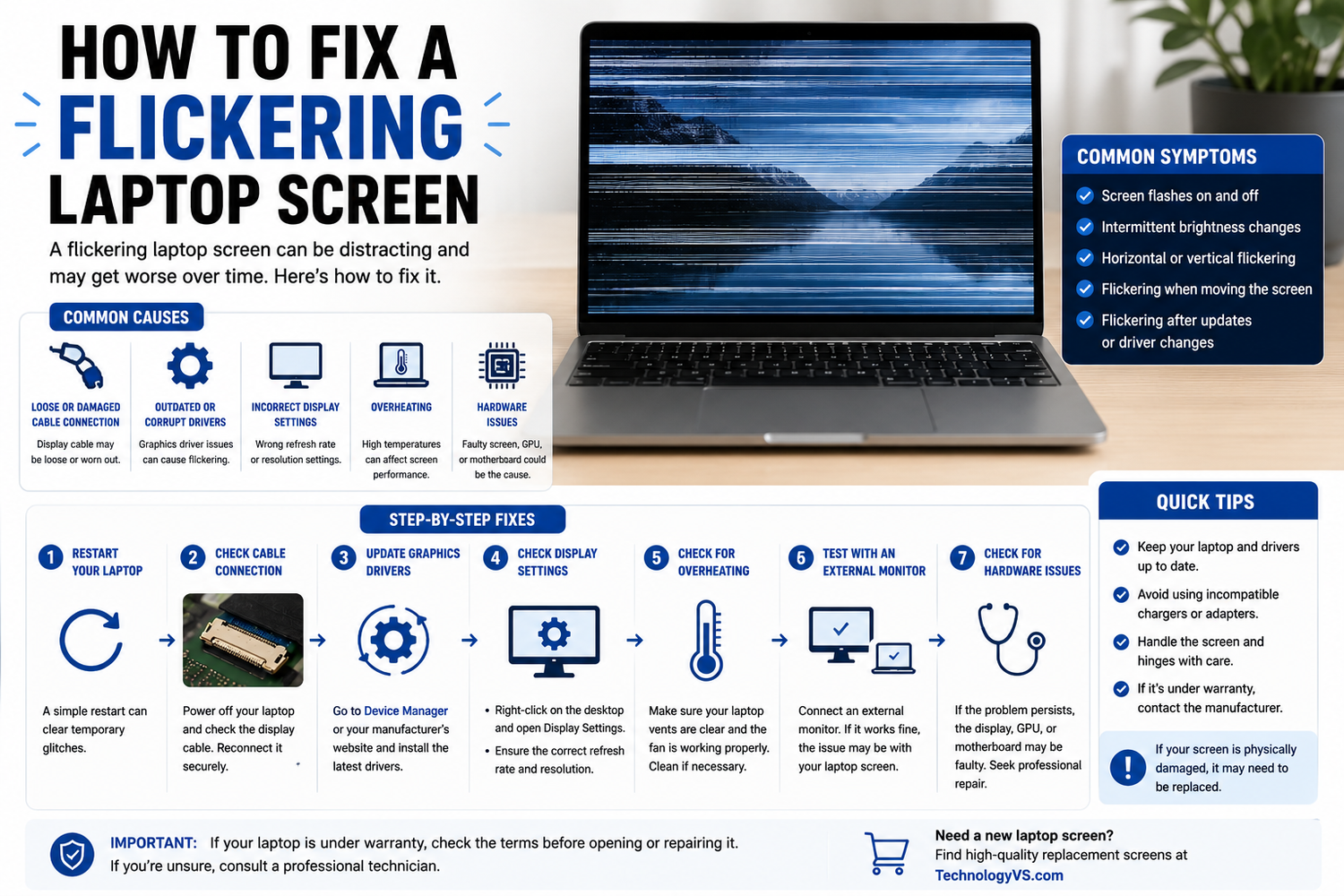
A flickering laptop screen is one of the most frustrating problems laptop users face. Here are the most common causes and solutions.
1. Loose or Damaged Video Cable
Open the laptop and check the cable connection at both ends. If the cable is damaged, it will need replacing.
2. Outdated Display Drivers
- Right-click the Start button and open Device Manager
- Expand Display Adapters
- Right-click your graphics card and select Update Driver
3. Incompatible Applications
Press Ctrl + Shift + Esc to open Task Manager. If Task Manager doesn't flicker but everything else does, an application is likely the cause.
4. Refresh Rate Settings
Right-click the desktop, select Display Settings, then Advanced Display Settings and check the refresh rate matches your screen's specification.
How to Diagnose Hardware vs Software
Boot into BIOS. If flickering stops in BIOS, the issue is software. If it continues, the issue is hardware.
Browse our full range at technologyvs.co.uk






Leave a comment
This site is protected by hCaptcha and the hCaptcha Privacy Policy and Terms of Service apply.