
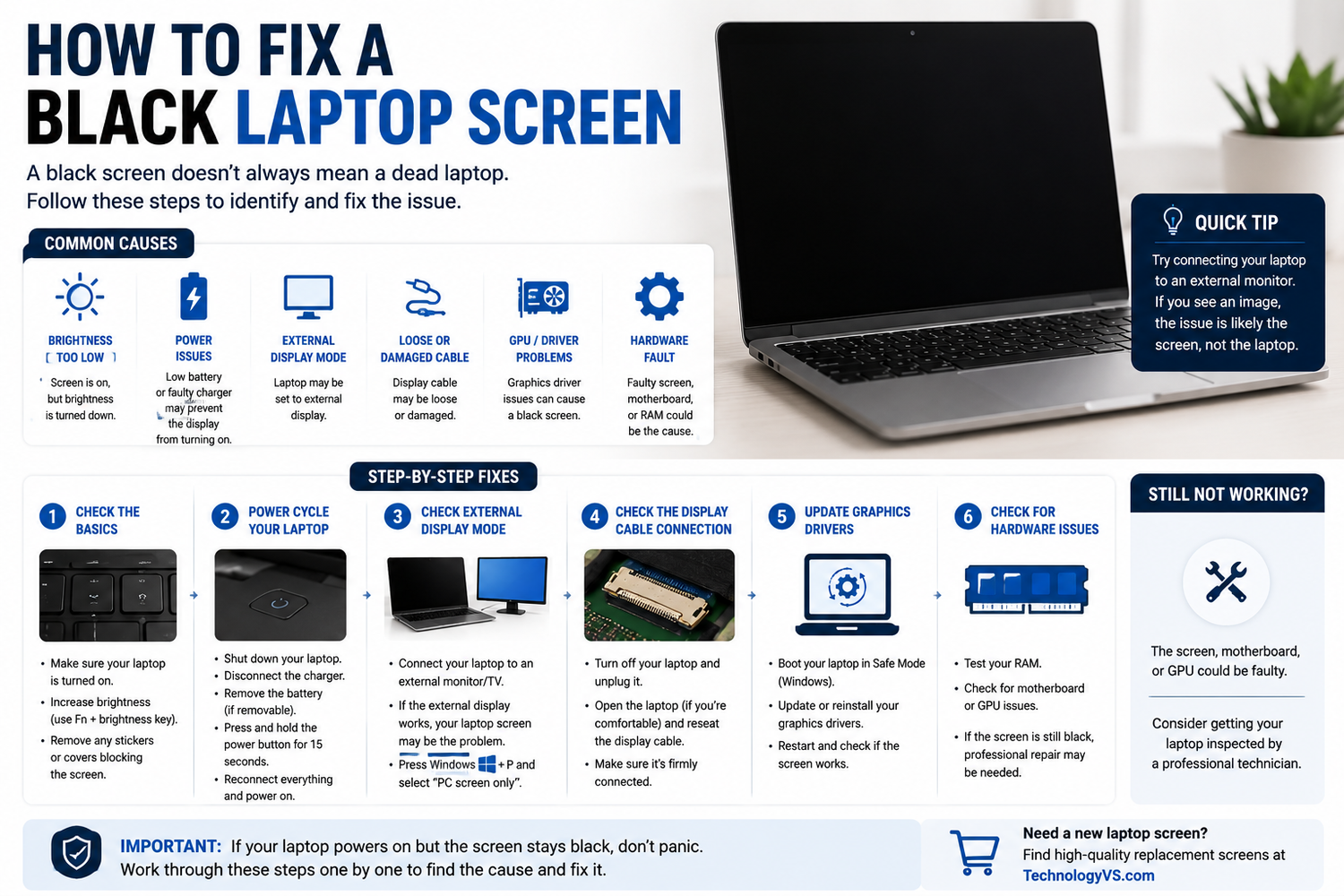
Comment réparer un écran d'ordinateur portable noir
Vous appuyez sur le bouton d'alimentation, vous entendez votre ordinateur portable démarrer, mais l'écran reste complètement noir. Voici comment diagnostiquer et résoudre ce problème.
Étape 1 — Vérifiez les bases
- La luminosité est-elle augmentée ? (Fn + touche de luminosité)
- Essayez une réinitialisation matérielle : maintenez le bouton d'alimentation enfoncé pendant 10 secondes, puis redémarrez
- L'affichage est-il envoyé vers un écran externe ? Appuyez sur Fn + F4 pour revenir à l'affichage d'origine
Étape 2 — Vérifiez si le rétroéclairage fonctionne
Éclairez l'écran avec une lampe torche dans une pièce sombre. Si vous pouvez distinguer faiblement le bureau, le rétroéclairage est défaillant et la dalle doit être remplacée.
Étape 3 — Connectez un moniteur externe
Si le moniteur externe fonctionne normalement, le problème vient de l'écran de l'ordinateur portable. S'il reste également noir, le problème vient du processeur graphique (GPU) ou de la carte mère.
Étape 4 — Vérifiez le câble de l'écran
Accédez à l'arrière de la dalle d'écran et rebranchez fermement le câble vidéo.
Étape 5 — Mettez à jour les pilotes d'affichage
Démarrez en mode sans échec et désinstallez/réinstallez votre pilote graphique.
Parcourez notre gamme complète sur technologyvs.co.uk







Laisser un commentaire
Ce site est protégé par hCaptcha, et la Politique de confidentialité et les Conditions de service de hCaptcha s’appliquent.